If you own an older iMac, MacBook, or Windows Tower, you are probably intimately familiar with the frustration of "the wait." You turn the machine on, go make a cup of tea, come back, and it’s still loading the desktop. You click to open your web browser, and you are greeted by the dreaded "spinning beachball of death" or a frozen blue circle. The machine whirrs, it clicks, and it feels like it is constantly struggling just to survive basic tasks.
It is incredibly easy to assume that the computer is simply "getting old" and that the processor is dying. But the processor is fine. In fact, that processor is a massive powerhouse sitting completely idle. The truth is much simpler, and much more mechanical. You are suffering from the ultimate computing bottleneck: a Mechanical Hard Disk Drive (HDD).
The Anatomy of the Mechanical Bottleneck
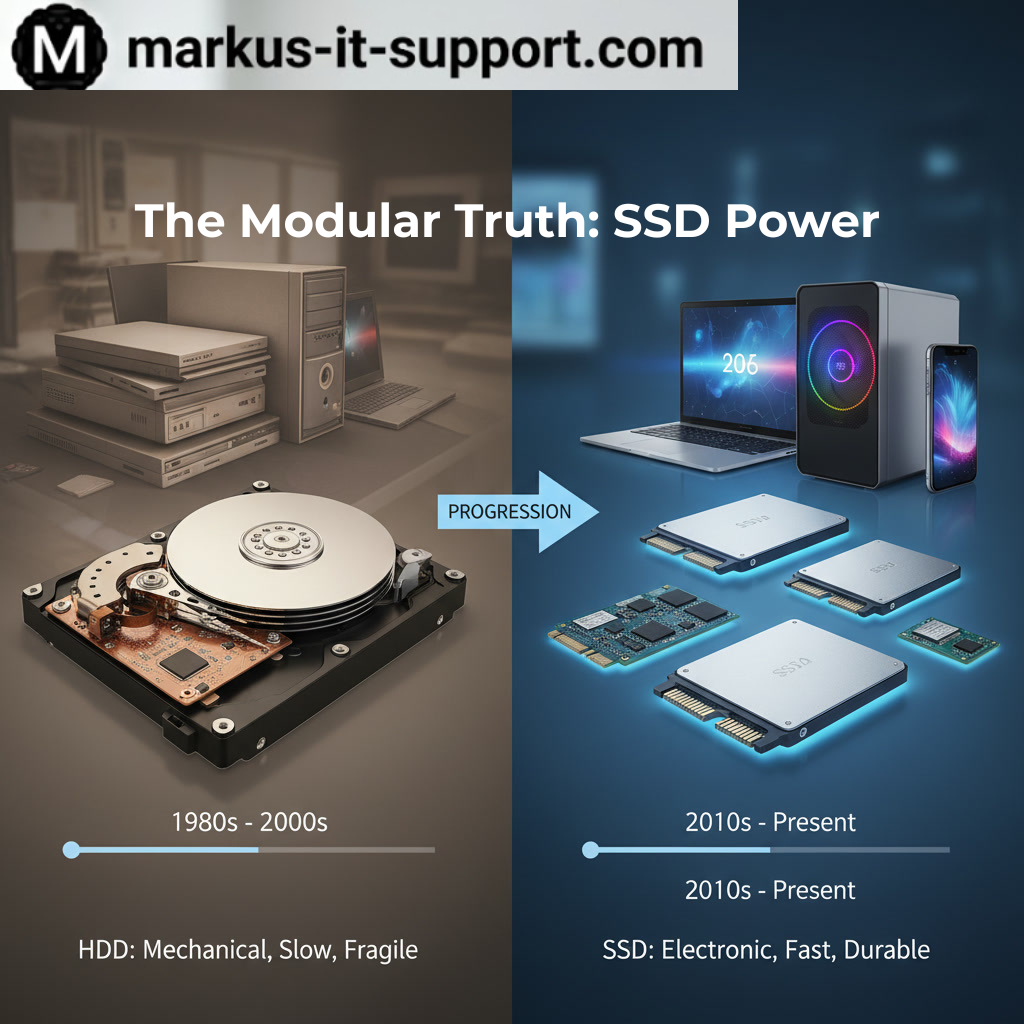
For decades, almost every computer in the world shipped with a mechanical hard drive. Inside that silver rectangular box is a series of magnetic platters that look exactly like CDs, spinning at 5,400 or 7,200 revolutions per minute. Hovering just nanometers above these platters is a mechanical arm with a reader head on it, darting back and forth to find your photos, your operating system, and your applications.
To understand why this is a problem, imagine your computer's processor is a highly efficient librarian, and the hard drive is a massive physical library. Every time you ask your computer to open Microsoft Word, the librarian has to put on their running shoes, sprint down hundreds of aisles, physically pull the book off the shelf, and bring it back to the desk. As the hard drive ages over five or six years, the motors wear out, the platters degrade, and the data gets scattered. The librarian gets slower, and the library gets incredibly messy.
No matter how powerful your Intel processor is, and no matter how much RAM you have installed, the entire system is forced to a complete standstill, waiting for that mechanical arm to physically find the data.
The Flash Memory Revolution: Solid State Drives (SSD)
The single most profound upgrade you can make to any computer is eradicating this moving bottleneck and installing a Solid State Drive (SSD).
An SSD utilizes advanced flash memory. There are absolutely zero moving parts. There are no spinning platters, no mechanical arms, and no motors to wear out. To return to our analogy, an SSD replaces the massive physical library with a digital index on an iPad. The librarian no longer has to run anywhere; they simply tap a screen, and the data is delivered instantaneously.
The transformation when moving from an HDD to an SSD is not just an incremental improvement; it is a violent leap in performance. It is the equivalent of giving a classic, heavy car a modern jet engine. The physical transition yields staggering results:
- Instant Boot Times: A Mac or PC that used to take three or four minutes to show the desktop will now boot in 10 to 15 seconds.
- Instant Application Loading: Programs snap open immediately. The spinning beachball becomes a thing of the past.
- Silent and Cool: Because there are no motors or spinning disks, an SSD generates virtually zero heat and is completely silent. This takes a massive thermal load off your computer's internal cooling system.
- Durability: If you bump or drop a laptop with a spinning mechanical drive while it is running, the reader head can crash into the platter, permanently destroying your data. An SSD is highly shock-resistant, making your mobile data vastly more secure.
The Modular Truth and Big Tech's Secret
If SSDs are so amazing, why did companies like Apple and Dell keep putting mechanical drives in machines all the way up until 2019? The answer is cost. For a long time, flash memory was incredibly expensive, and consumers demanded high storage capacities (like 1 Terabyte) for their photos and videos. Manufacturers used cheap mechanical drives to keep the price down while advertising massive storage space.
Today, the cost of highly reliable, blazing-fast SSDs has plummeted. However, when you walk into a retail store and complain that your 2017 iMac is slow, the salesperson will almost never suggest spending £100 to £150 on an SSD upgrade. They will suggest you spend £1,500 on a brand new machine.
The Markus IT Rescue
At Markus IT Support, we rely on the "Modular Truth." Your high-quality aluminum Mac or sturdy PC Tower was built to be upgraded. When we perform an SSD Rescue, we safely dismantle the machine, extract the failing mechanical drive, and install a brand-new flash storage engine. We then professionally clone your data—meaning all your photos, passwords, and applications remain exactly where you left them—or we perform a clean install of a modern OS for a totally fresh start.
Before you consider throwing away a beautiful, high-quality piece of engineering because it feels "slow," look to the storage. Swapping the drive resets the clock on your hardware's performance, saves you a fortune, and delivers a machine that will easily handle your daily workflow for years to come.