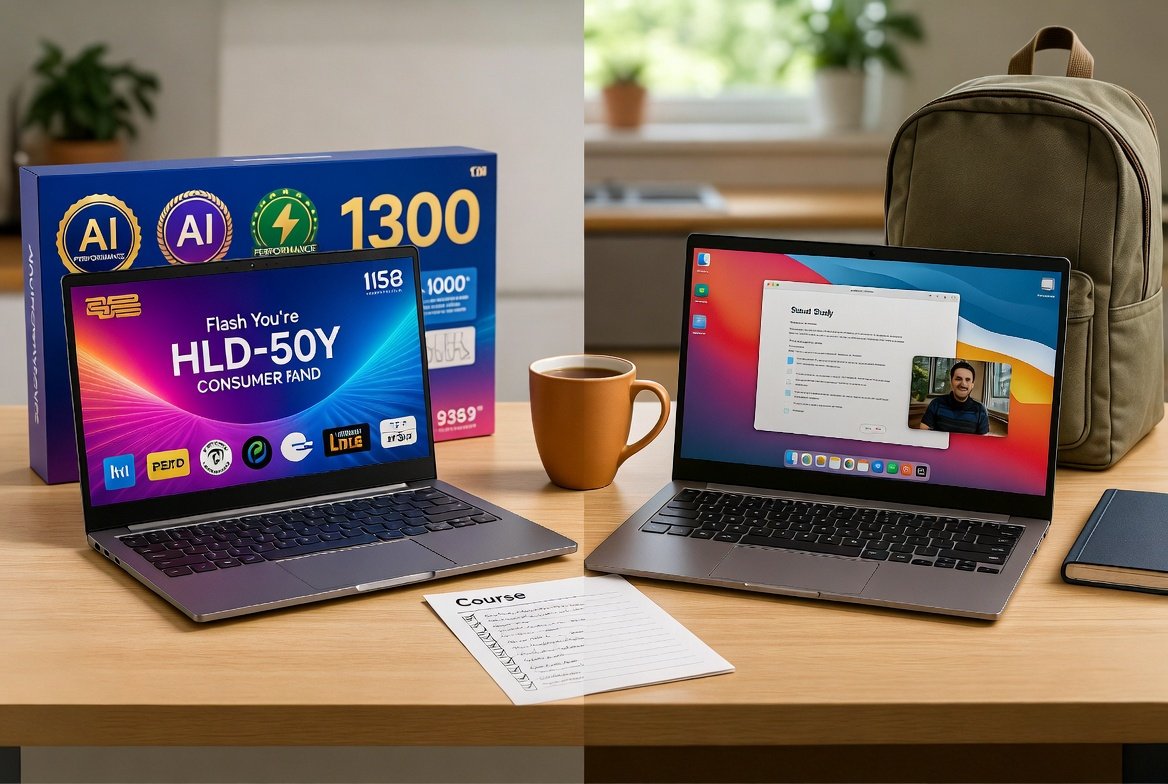
Let me start by admitting something: buying a laptop for a student is a minefield.
You begin with the sensible intention of finding a computer for essays, research and video calls. Half an hour later, you are comparing chips with names that sound like motorway junctions, wondering whether your child needs “AI performance”, and being told that anything less than the latest model may damage their academic future.
Then your child explains that everybody else has a Mac.
Well, everybody else may also have expensive trainers and an alarming relationship with takeaway coffee. That does not automatically make either item necessary—but I understand the real world. A laptop is a tool, but for a teenager or university student it can also be fashion, identity and confidence. Pretending that does not matter is practical advice from a parallel universe.
So this is not an article telling you never to buy new, never to buy Apple or that every student should be handed a ten-year-old laptop and told to be grateful. It is about separating what they need from what they are being sold.
Start with the course, not the computer
The first question is not “Mac or PC?” It is “What will the student actually do?”
A student writing essays, researching online, joining video calls and building ordinary presentations has fairly modest needs. A student studying video production, music technology, architecture, engineering, animation or computer science may need particular software, more working space, more room for files or a specific type of computer.
Ask the school, college or university for the course requirements. More importantly, ask which applications are genuinely used. A page saying “students should have access to a computer” is not the same as a requirement for a £1,500 machine.
Working space — so it stays calm under real student use
When a laptop feels slow with a video call, a document and a pile of browser tabs open, it often is not “broken”. It has run out of working space. Shops call that working space RAM.
Think of it as the size of the student’s desk. On a small desk, you can work on one book at a time. Open twenty tabs, a call, Word, music and a large PDF, and suddenly everything is piled on top of everything else. The computer starts shuffling work around because it has no room left.
More working space does not write a better essay—sadly, no specification offers that—but it helps the laptop stay comfortable when several things are open at once.
For basic, day-to-day browsing and simple essays, 8GB of RAM is the absolute baseline. However, if you want the laptop to handle real multitasking and remain responsive over several years, 16GB is essential for modern processing demands.
Also check whether that working space can be increased later. Many thin modern laptops have it built in permanently. What you buy on day one is what you live with. That can be fine, but it makes choosing carefully more important.
The trap: Soldered components
Most modern thin-and-light laptops, including all recent MacBooks, now come with RAM and storage soldered directly to the motherboard. This means future upgrades are impossible; you cannot simply add more memory if the computer feels slow in two years. This reinforces the need to “buy right” on day one, as the specification you choose today is the specification you will live with until the machine is replaced.
Room for the whole course — files, photos and downloads
Working space is the desk. Storage is the cupboard: where files, photographs, apps and the system live when they are not actively open.
A very small cupboard is fine until the student adds course work, photographs, downloaded lectures, games and three years of material they promise to organise later. Then the computer runs short of room, updates become awkward and everybody acts surprised.
Cloud storage helps, but it is not magic. It needs internet access, may involve a subscription and does not replace a proper backup. A file that exists in only one cloud account is still one password problem away from becoming an interesting memory.
Today, 256GB of storage is the absolute minimum standard. While it can work for light use, 512GB is the recommended amount for longevity, giving the student far more breathing room for three or more years of course work, software, and downloads.
Make sure the laptop uses fast storage with no moving parts (an SSD). A slow spinning drive in an older bargain machine can make an otherwise decent computer feel painfully sluggish day to day.
Built for backpacks, not shop shelves
Specifications are easy to print on a shop label. How the machine feels in a bag for three years is harder to reduce to one exciting number.
Many inexpensive new laptops hit their price with thin plastic cases, basic hinges, weaker keyboards and screens that are best described as present. They may be new and under warranty, but they are going into backpacks, lecture theatres, bedrooms and possibly underneath a pile of laundry. Student laptops do not live gentle lives.
A refurbished business laptop may be several years old but built around a stronger body, a better keyboard, more useful ports and parts designed to be serviced. Models originally supplied to offices often cost much more when new than today’s price suggests.
This does not mean all plastic laptops are rubbish or every business laptop is indestructible. It means you should lift the machine, open the lid, type on it and look at the hinges. A laptop is not just a chip with a screen attached; it is something somebody will carry every day.
When refurbished makes sense
A properly refurbished laptop is not simply a used laptop wiped with a cloth.
It should be inspected, tested, securely erased, updated and honestly described. The battery, storage health, charger, keyboard, ports, webcam and screen should all be checked. Any limitations should be clear before you buy.
For ordinary student work, a refurbished business laptop with enough working space (often 16GB) and roomy fast storage (often 512GB) may be a much better tool than a brand-new budget machine with a nicer box but weaker construction and very little cupboard space.
It also gives you room in the budget for the unglamorous things students actually need: a backup drive, a protective sleeve, accidental-damage cover or perhaps some money left over for food.
Choosing for the age and level
Not every student needs the same level of power. Younger teens can often “get away” with older, higher-spec refurbished business machines that offer great durability and performance for general schoolwork at a lower price. In contrast, university students entering demanding courses like engineering or video production may need to “bite the bullet” and invest in newer, high-performance hardware to ensure their machine can handle specialized software for the duration of their degree.
When buying new is the right answer
Buy new when the course needs current high-performance hardware, when long battery life and manufacturer support are critical, when accessibility needs demand particular features, or when you want one machine to cover several uncertain years and the budget comfortably allows it.
A new laptop also comes with a known battery history and a straightforward warranty. Those things have value. My objection is not to new computers; it is to buying far more—or occasionally far less—than the student actually needs.
A parent’s checklist
Before paying, ask:
- What specific software or OS does the course require?
- Does it have enough RAM (ideally 16GB) for multitasking?
- Is there sufficient storage (at least 512GB) for the full course?
- Are the internal components upgradeable or permanently fixed?
- Is the chassis and hinge build quality backpack-ready?
- Will the battery realistically support a full day of travel and study?
- How long will the device receive security and software updates?
- What warranty or accidental-damage protection is provided?
The honest conclusion
Refurbished over Budget-New: High-quality refurbished business machines usually offer superior build, better keyboards, and better performance than cheap new consumer laptops.
When to Choose New: Invest in a new machine only if specific high-performance software is required or if a manufacturer warranty and maximum longevity are essential.
Maximize Your Budget: Choosing refurbished often leaves room in the budget for critical extras like backup drives, protective sleeves, and insurance.