Let’s have an honest chat about the rapid, sometimes dizzying pace of modern software development. You likely remember the day you unboxed your beautifully machined, aluminum-clad iMac or MacBook back in the mid-2010s. It was a serious investment, costing anywhere from £1,500 to over £2,500. It felt like the future. It was robust, elegant, and blazingly fast.
But eventually, that familiar notification pops up on your screen. Your computer politely informs you that it is no longer supported by the latest macOS update. Soon after, your web browser warns you that it won't receive critical security updates. Then, your banking application refuses to load. It can feel incredibly frustrating—and frankly, a bit suspicious—when a machine that still turns on and runs perfectly is suddenly left behind by modern software.
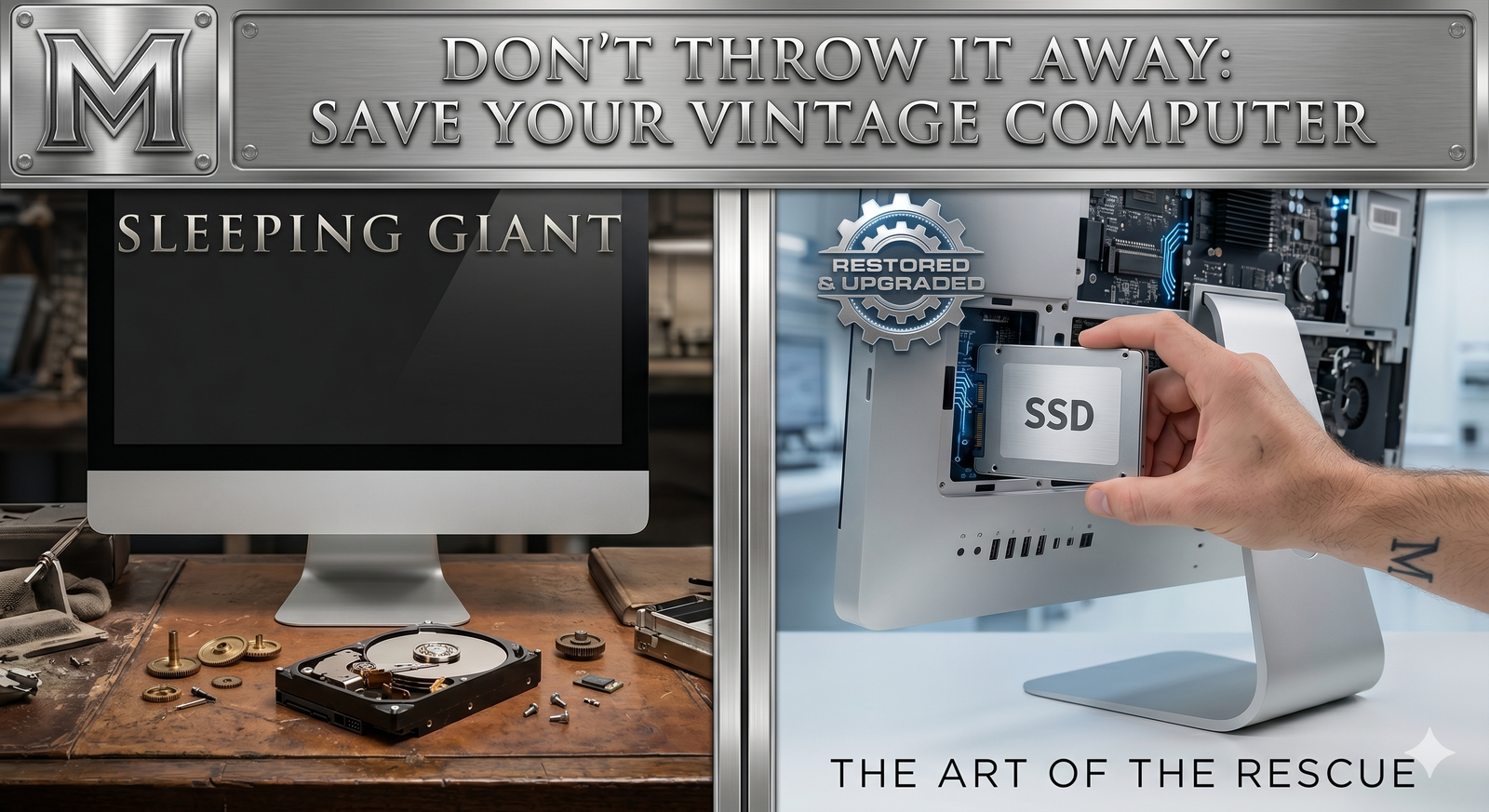
Here is the absolute truth that the tech industry doesn't want to broadcast: your hardware isn't "too old." In fact, your hardware is a Sleeping Giant. What you have actually hit is the Software Wall.
Understanding the Software Wall and Planned Obsolescence
The Software Wall is a strict compatibility cutoff, a line drawn in the sand by manufacturers that forces beautifully engineered machines into early retirement. It’s a mechanism often associated with "planned obsolescence." While hardware companies understandably want to move forward to new, highly efficient architectures—such as Apple's undeniably incredible M-series chips—they do so at the expense of their legacy users.
Maintaining drivers and software for older Intel processors costs massive tech companies time and money. By dropping support, they save on software development and simultaneously encourage millions of consumers to walk back into the retail store to buy a brand-new machine. It’s a brilliant business model for them, but a terrible deal for your wallet and the environment.
The Golden Era: Built to Last (2012 - 2020)
There was a specific window of time where Apple was building hardware that was, by today’s standards, beautifully over-engineered. Think of the 2012 through 2019 MacBook Pros and the iconic 21.5-inch and 27-inch iMacs. They were constructed with thick, durable aluminum, precision-milled glass, and robust Intel i-series processors that were light-years ahead of the software they were running at the time.
These machines were built with heft and soul. They featured upgradable RAM (especially the 27-inch iMacs with their convenient rear hatches), standard ports, and cooling systems designed to sustain heavy workloads for hours on end.
Compare that to the modern trend. Over the last few years, I’ve witnessed a subtle, worrying shift toward a "plastic throwaway culture." Many modern budget machines sold today are entirely sealed systems. The RAM is soldered, the storage is soldered, and the chassis is made of flexible plastics. If one component fails, the entire machine goes in the bin. Your "vintage" Mac, however, was built to be a workstation. It possesses the thermal mass, the screen quality, and the raw multi-core CPU power to handle modern computing with ease. It just needs a "Markus Triage" to wake it up.
The M-Series Reality Check: Do You Really Need It?
Let me be clear: Apple’s shift to their own silicon (the M1, M2, M3, and M4 chips) is an engineering triumph. They run exceptionally cool and offer ridiculous battery life. If you are rendering 8K cinematic video timelines, compiling massive software databases, or running advanced 3D architectural modeling software, you absolutely need an M-series Mac.
But let's take a grounded look at how 90% of people actually use their computers. You are likely browsing the web, managing emails, watching Netflix, editing Word documents, organizing family photos, and running Zoom calls. You do not need a next-generation neural engine processor to read the BBC News or send a spreadsheet.
A high-end Intel i5 or i7 processor from 2015 can perform these daily tasks without breaking a sweat. Pushing consumers to buy £1,500 machines for web browsing is like insisting someone buy a Formula 1 race car just to drive to the local supermarket. The power of your older Mac is more than sufficient; the only thing holding it back is the software limitation.
Smashing the Software Wall
So, how do we fix it? My specialty lies in using professional deployment tools to safely bypass these strict software walls. By utilizing open-source projects like OpenCore Legacy Patcher (OCLP), we can install modern, fully secure versions of macOS—such as Sonoma or Sequoia—on machines the manufacturer retired years ago.
I cannot stress this enough: this is not a hack. We are not installing a fake, modified, or pirated version of macOS. We download the exact, official installer directly from Apple's servers. The magic happens in the "bootloader." We simply inject a highly sophisticated set of drivers right as the machine turns on, which translates the new operating system's commands into a language your older Intel processor and graphics card can understand.
Once bypassed, your 2015 iMac behaves exactly like a 2026 machine. Your Apple ID works, iCloud syncs perfectly, FileVault encryption remains active, and you receive standard Apple security updates.
The Real Bottleneck: Mechanical Treacle
If your hardware is so powerful, why does it feel like you are wading through thick treacle just trying to open an application? The answer is almost always the Mechanical Hard Drive (HDD).
Back in the 2010s, massive storage was expensive, so Apple (and PC manufacturers) used spinning magnetic platters. Imagine a mechanical hard drive like a massive physical library, and the processor is the librarian. Every time you open an app, the librarian has to put on their running shoes, sprint down hundreds of aisles, find the right book, and bring it back. As the drive ages, the librarian gets slower, and the library gets messier.
When I perform a Rescue, the very first thing I do is rip out that creaking, spinning drive and replace it with a modern Solid State Drive (SSD). An SSD has absolutely zero moving parts; it is pure flash memory. To continue the analogy, an SSD replaces the physical library with a digital index on a tablet. The librarian doesn't run anymore; they just tap a screen and the information is instantly there.
The transformation is staggering. It is like giving an aging athlete a set of jet boots. Suddenly, a machine that took four minutes to show the desktop boots up in 15 seconds. Apps snap open instantly. The dreaded spinning "beachball of death" completely disappears. The physical hardware is finally unleashed.
The E-Waste Crisis: A Responsibility to Rescue
Beyond the financial savings, there is a massive environmental imperative to smash the Software Wall. Globally, we generate over 50 million tons of electronic waste every single year. These devices contain rare earth metals, lithium, aluminum, and highly toxic components that wreak havoc when dumped in landfills.
Manufacturing a single new laptop requires mining massive amounts of raw materials and generates hundreds of kilograms of CO2 emissions. By choosing to rescue, refurbish, and modernize the high-quality machine already sitting on your desk, you are actively participating in the circular economy. You are proving that incredible engineering deserves a second act, dramatically reducing your carbon footprint in the process.
A Legacy of Glass: The 5K Secret
If you have a 27-inch iMac, there is one final, critical reason you must not throw it away: the glass.
Apple has consistently stayed a decade ahead of the industry in display technology. The 27-inch iMac features a breathtaking 5K Retina display. The color accuracy, brightness, and pixel density are practically unmatched in the consumer space. To buy a standalone monitor of that exact quality today—such as the Apple Studio Display—you would be parting with at least £1,200 to £1,500 just for the screen itself, without a computer attached!
Why on earth would you throw away a £1,500 piece of pristine glass just because Apple stopped updating the software? By rescuing the machine, you keep a world-class, professional-grade monitor on your desk for a fraction of the cost of replacing it.
| Component | Modern Equivalent Cost (New) | Markus IT Rescue Cost |
|---|---|---|
| 5K / 4K Monitor | £800 – £1,500 | Included in your current Mac |
| Pro i7 Hardware | £800 – £1,200 | Included in your current Mac |
| Total Value | £1,600 – £2,700 | £200 – £450 (Full Overhaul) |
The Final Verdict
So, the next time a salesperson at a tech store tells you your Mac is "obsolete" and gestures toward the shiny, expensive new models, just smile. You know the truth. Your machine comes from a golden era of technology when computers were built to last a decade or more. It has the premium aluminum, it has the gorgeous glass, and it definitely has the soul.
It isn't broken. It’s just sleeping. It just needs the Software Wall to be knocked down, the cooling system refreshed, and a modern SSD engine installed. Don't throw it away. Let’s rescue it together.
Further Reading & Resources
- Markus IT Intel: Apple Survivors: OCLP Explored →
- Markus IT Intel: ROI: Why Repairing Beats Replacing →
- Markus IT Intel: The Modular Truth: SSD Power →
- External Insight: The Right to Repair Movement (iFixit) ↗
- External Insight: The OpenCore Legacy Patcher Project ↗